ElectricAcct ••4471
Amount due$142.18
DueDec 14
 BillNest
Sign in
BillNest is a free, encrypted bill tracker. Keep your bills, subscriptions, debts and income in one place, get a heads-up by email or on your phone before anything is due, and see exactly where your money goes.
0 of 3 paid this month
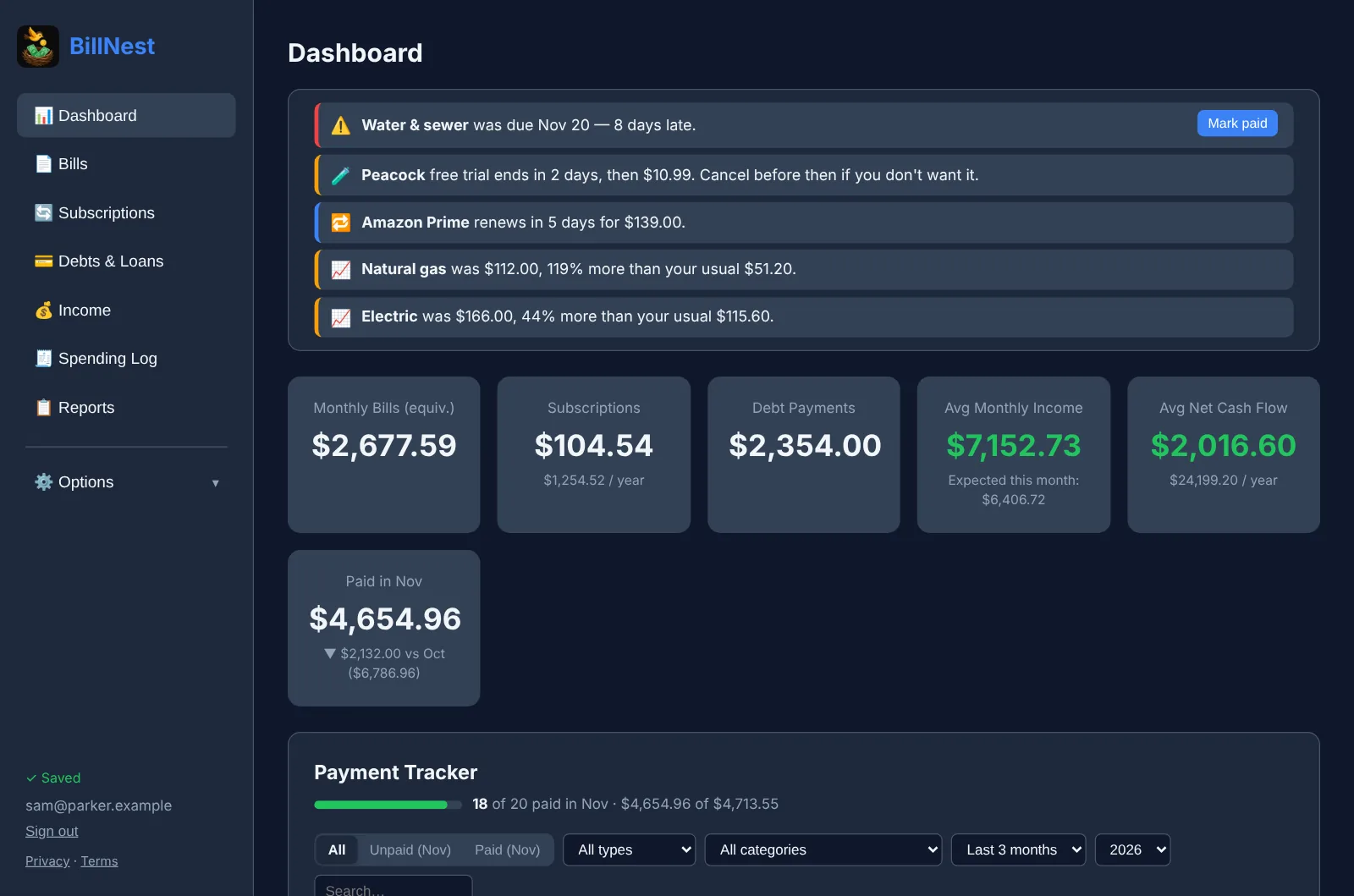
The dashboard adds up your bills, subscriptions and debt payments, compares them with your take-home pay, and shows what’s left over. Alerts at the top flag anything late, free trials about to turn into charges, yearly renewals, and bills that came in higher than usual.
Check bills off as you pay them and BillNest records the amount. Autopay bills check themselves off. A Coming up list shows what’s due in the next two weeks, moved to the business day before when a due date lands on a weekend or bank holiday.
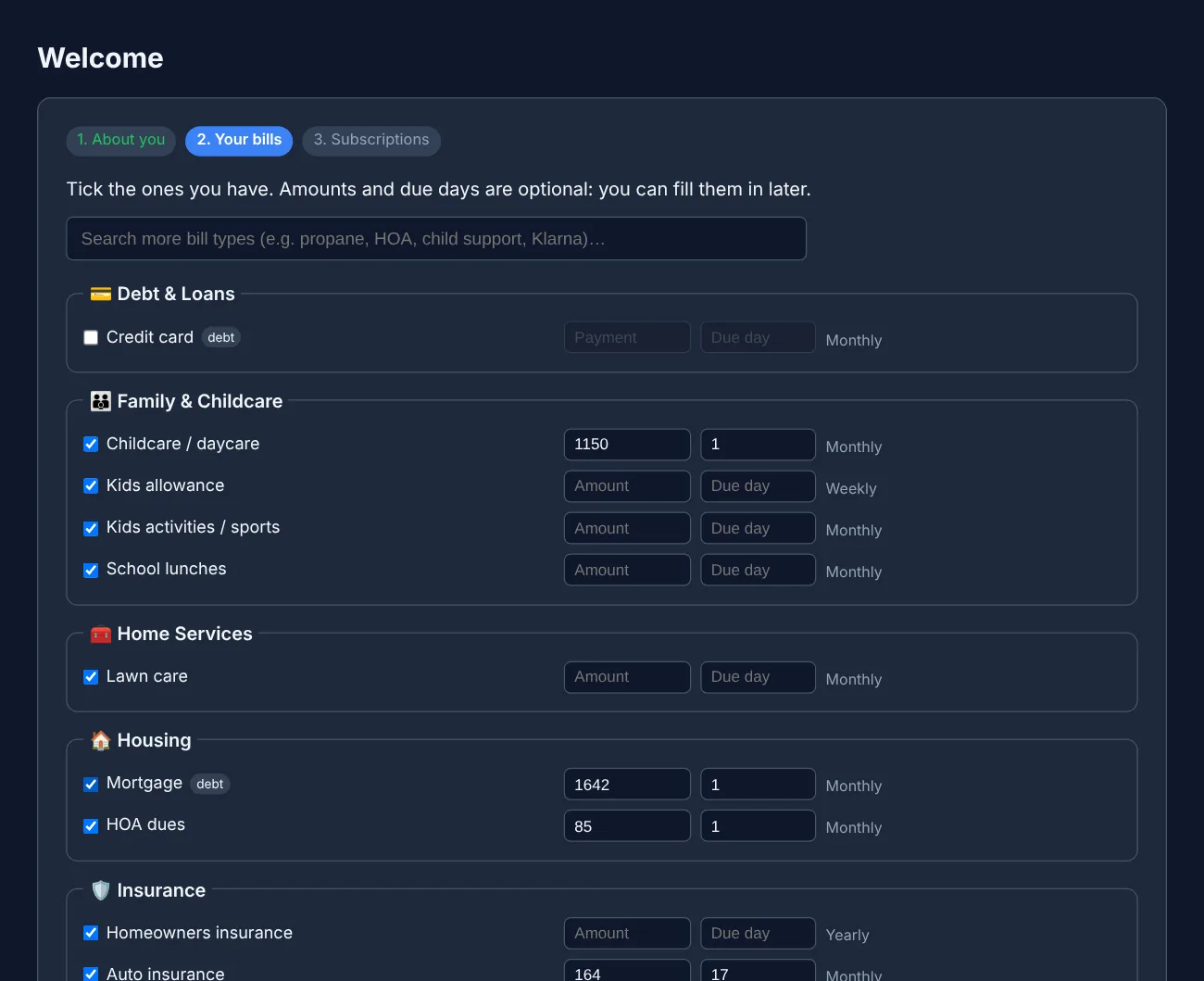
Tell BillNest a little about your life (renter, homeowner, car owner, kids, student, freelancer, pets) and it suggests the bills people like you usually have. Tick the ones that apply, type in amounts if you know them, and pick your subscriptions from a list of popular ones.
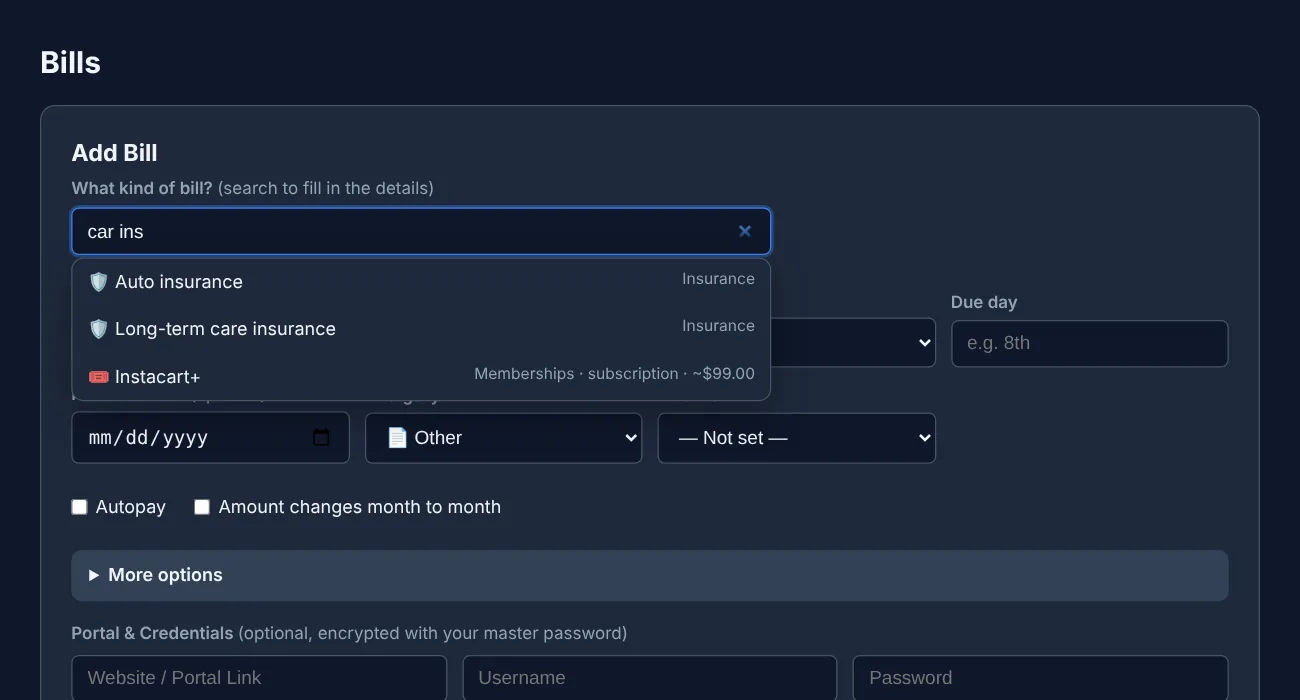
Adding something later is just as quick. Search over 130 kinds of bills, from water and HOA dues to propane, child support, quarterly taxes and buy-now-pay-later plans, and BillNest fills in the category, how often it’s due, and where to pay.
Enter things once. BillNest keeps the math and the reminders going.
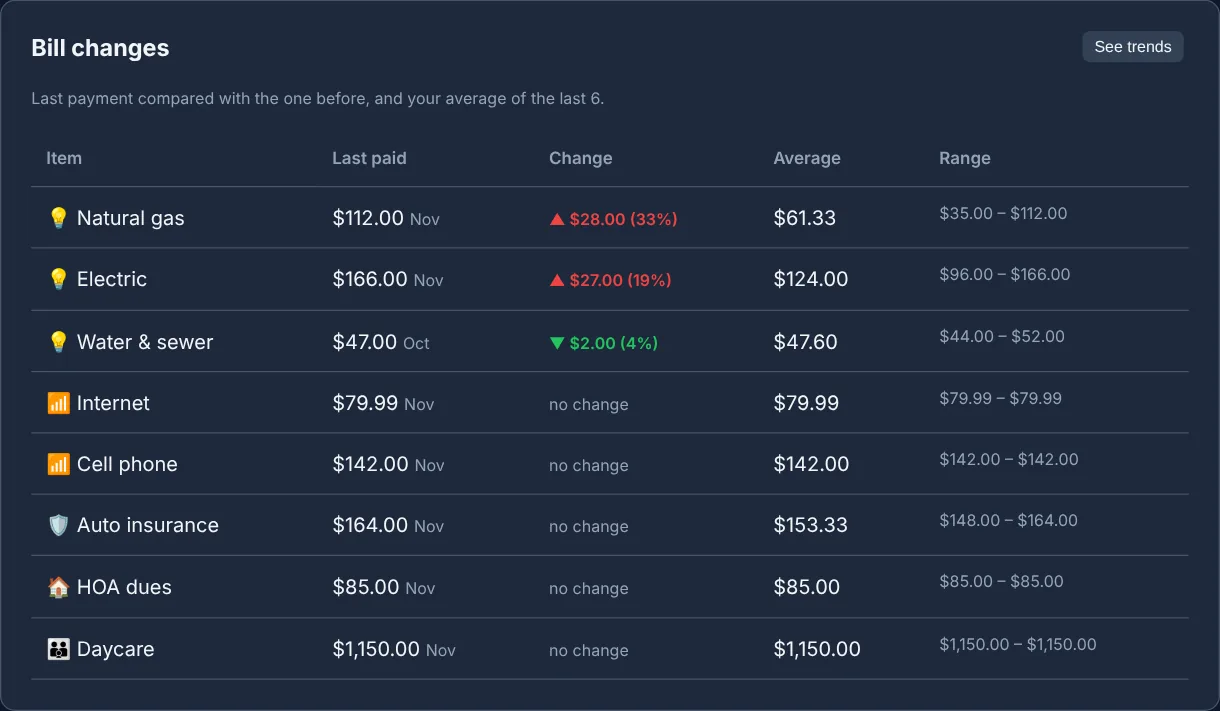
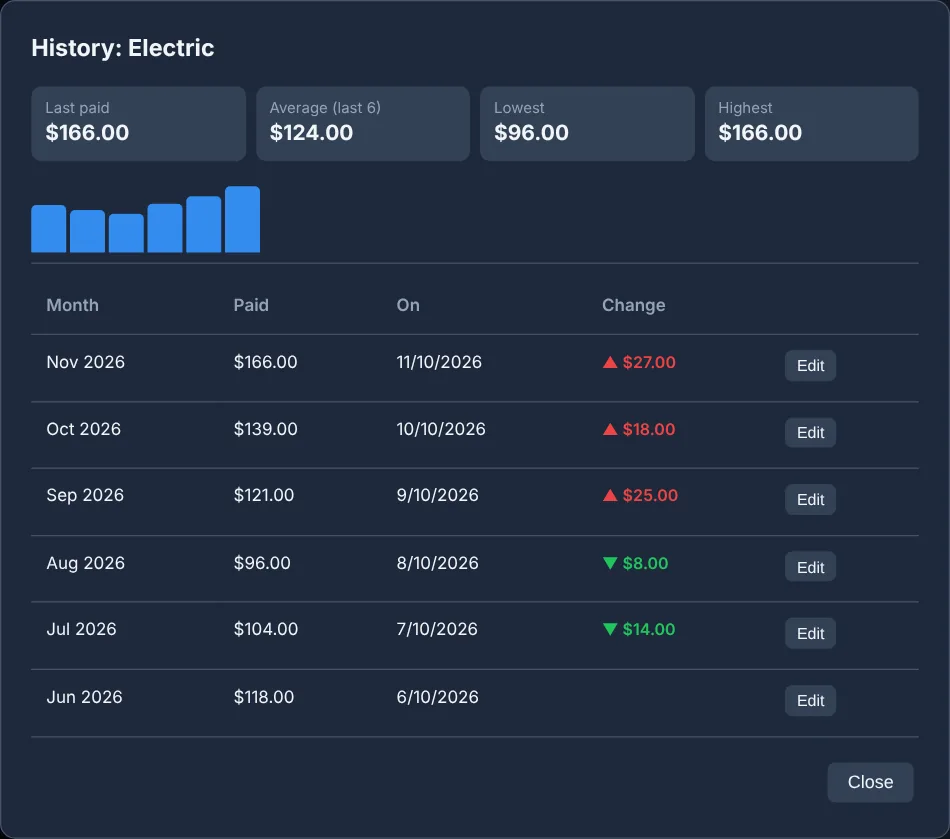
Every time you check off a payment, BillNest remembers what you paid. You get each bill’s average, its lowest and highest month, and how this month compares with the last.
When a bill comes in noticeably higher than usual, like a winter heating bill or a quiet insurance increase, it shows up on your dashboard and in your next reminder.
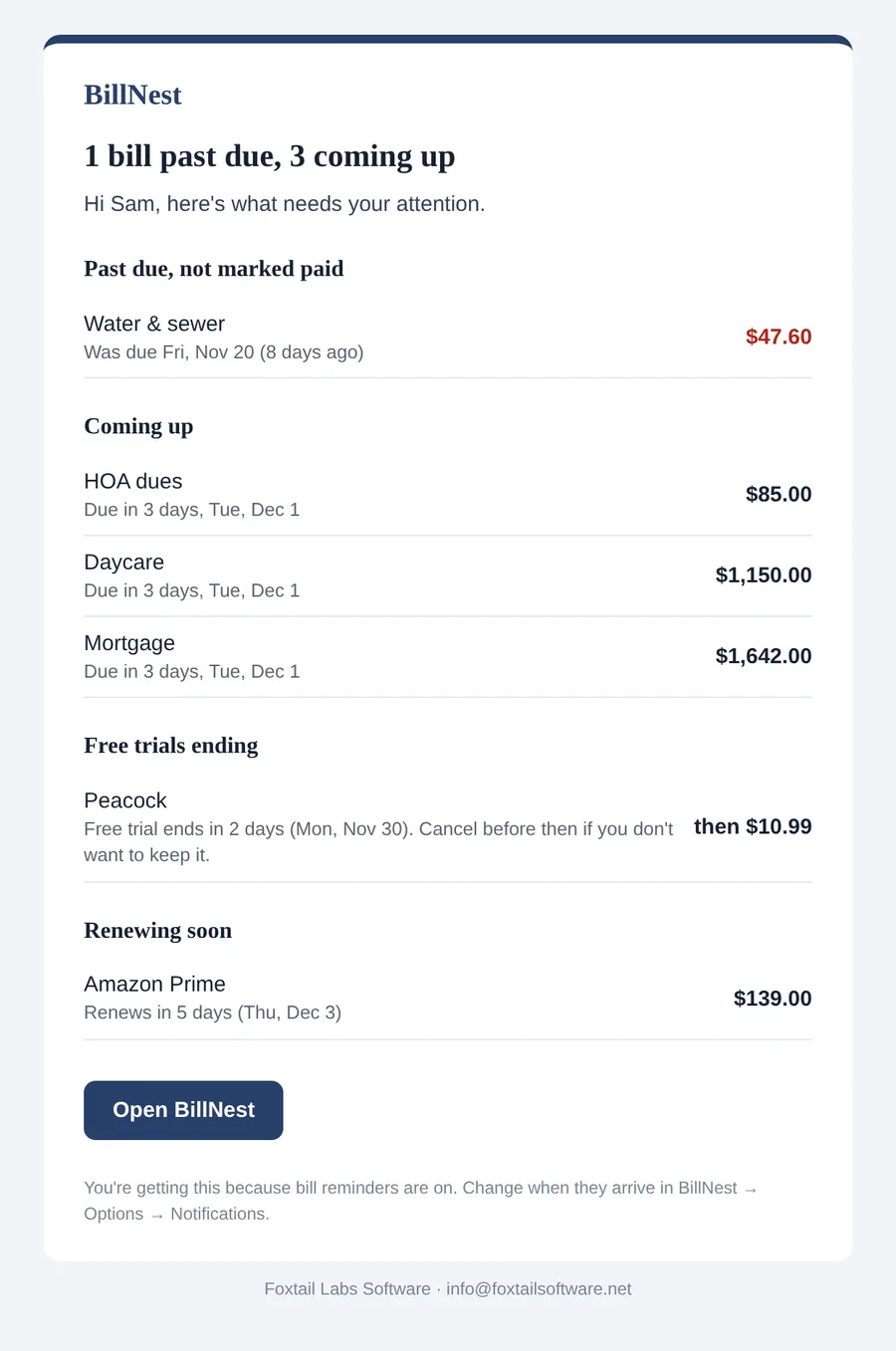
One short message a day, only when something needs your attention, at the time you pick.
A daily digest of what’s due, what’s late, which free trials are ending and what’s renewing, with amounts. One click turns them off.
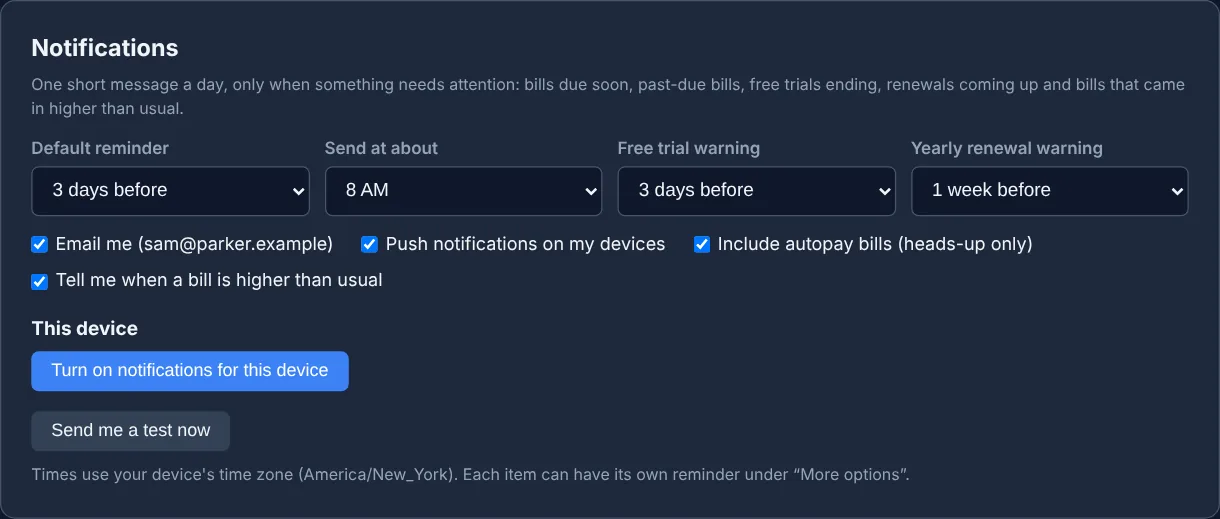
Turn on notifications and the same heads-up pops up on your phone or computer. Choose how many days before, what time, and whether autopay bills should get a heads-up too.
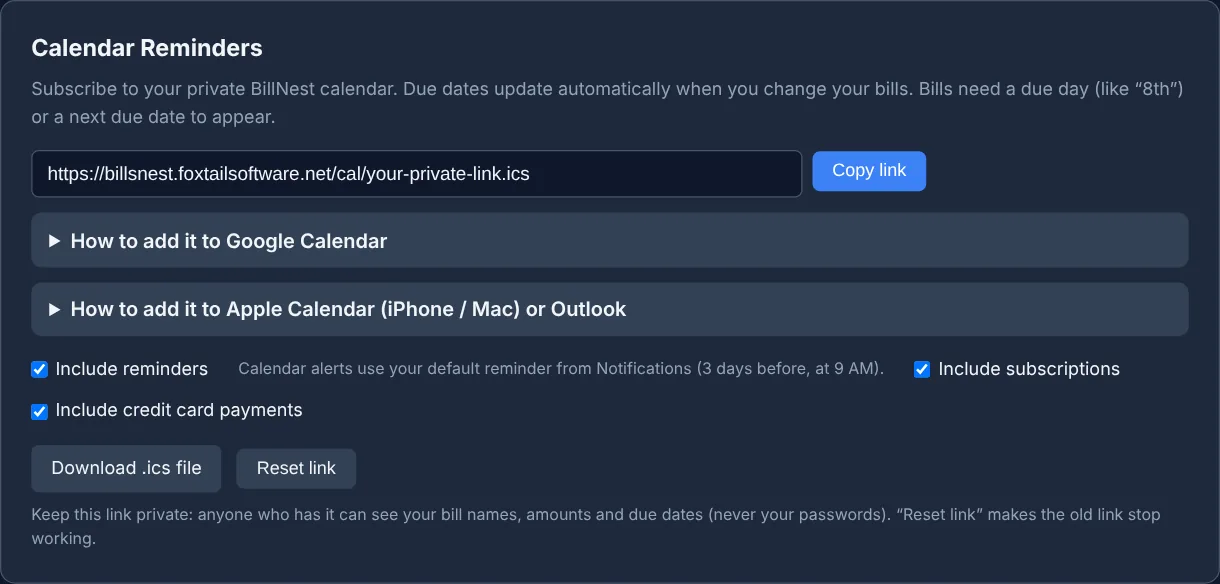
Copy your private calendar link into Google Calendar, Apple Calendar or Outlook, and every due date appears and repeats correctly, even quarterly bills and ones due on the 31st.
Not just totals. The things you actually wonder about at the kitchen table.
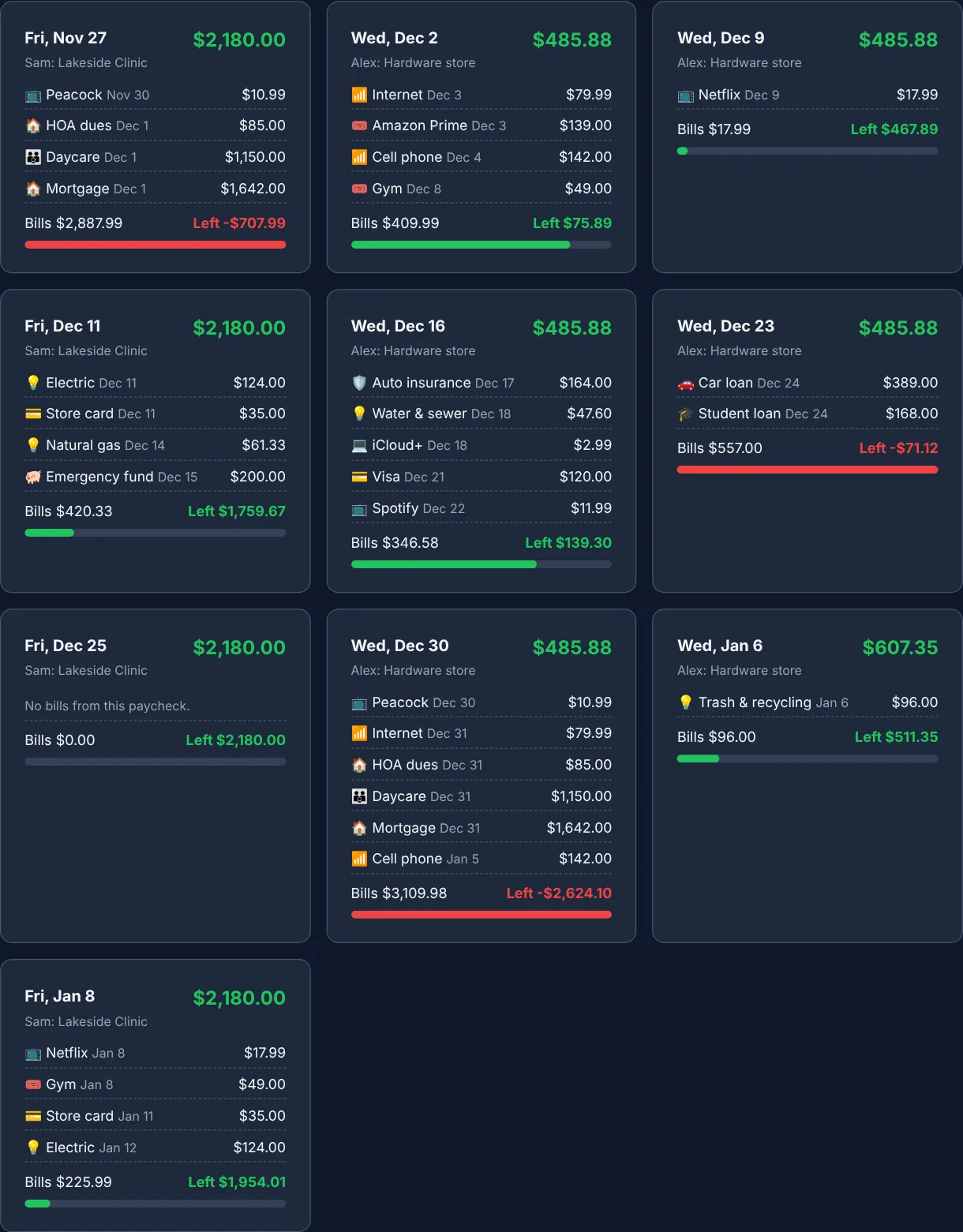
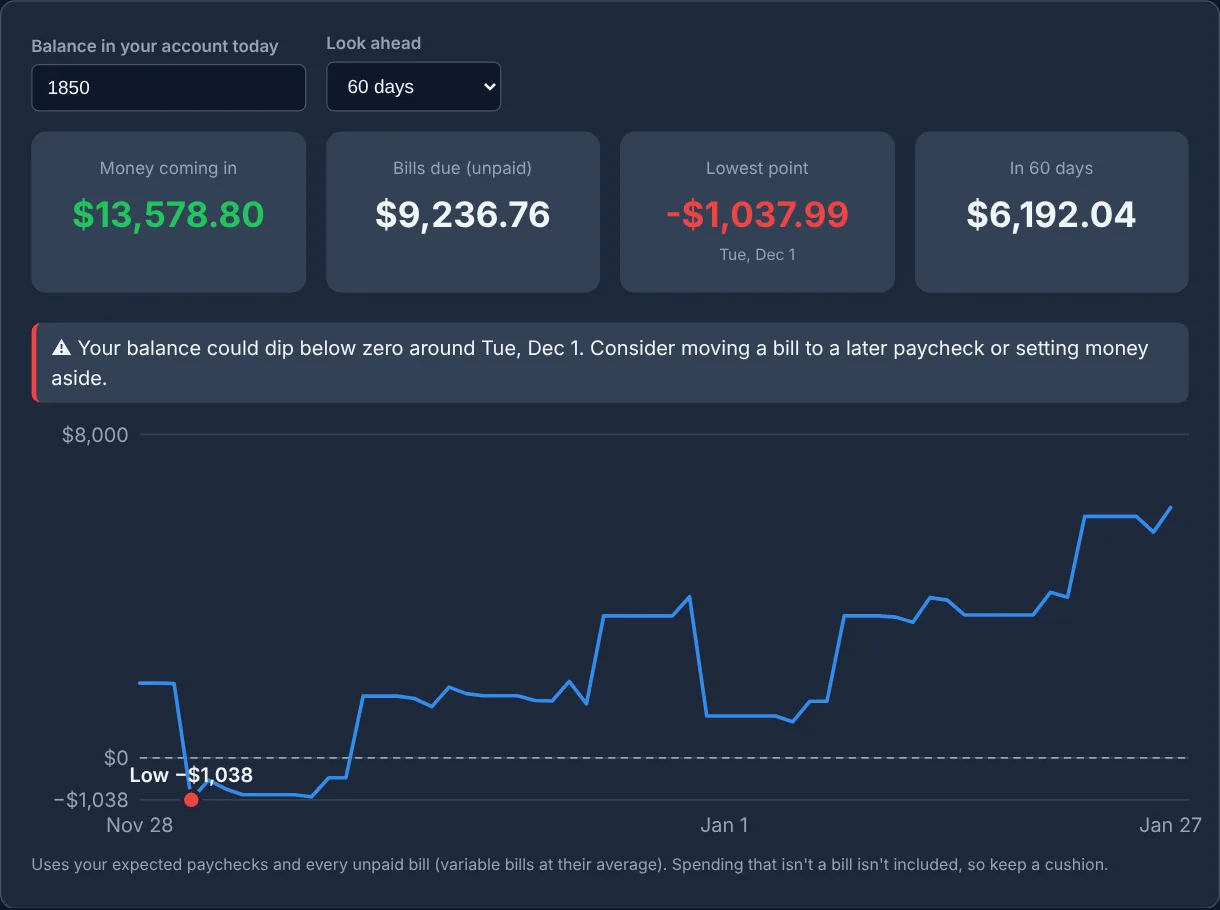
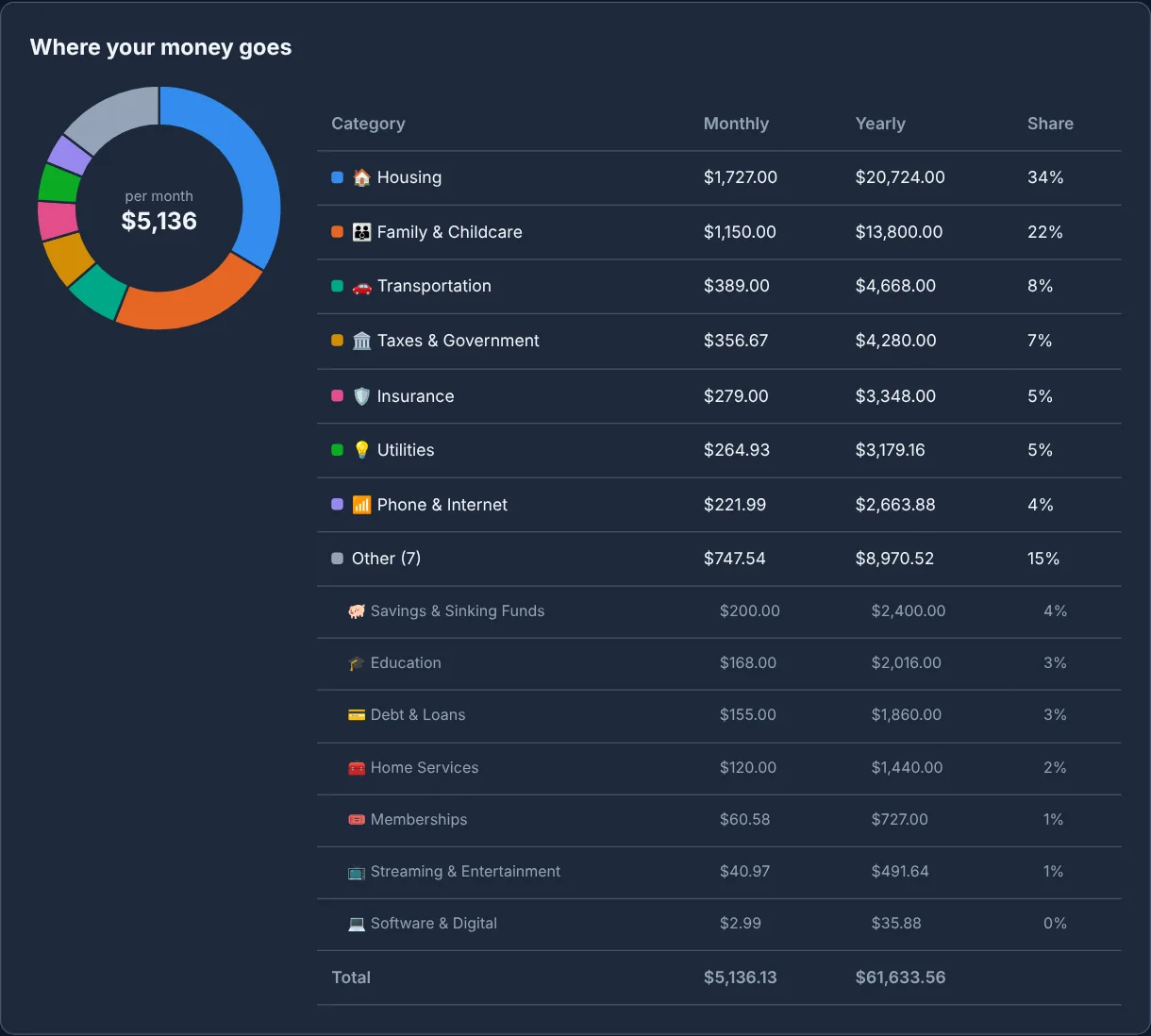
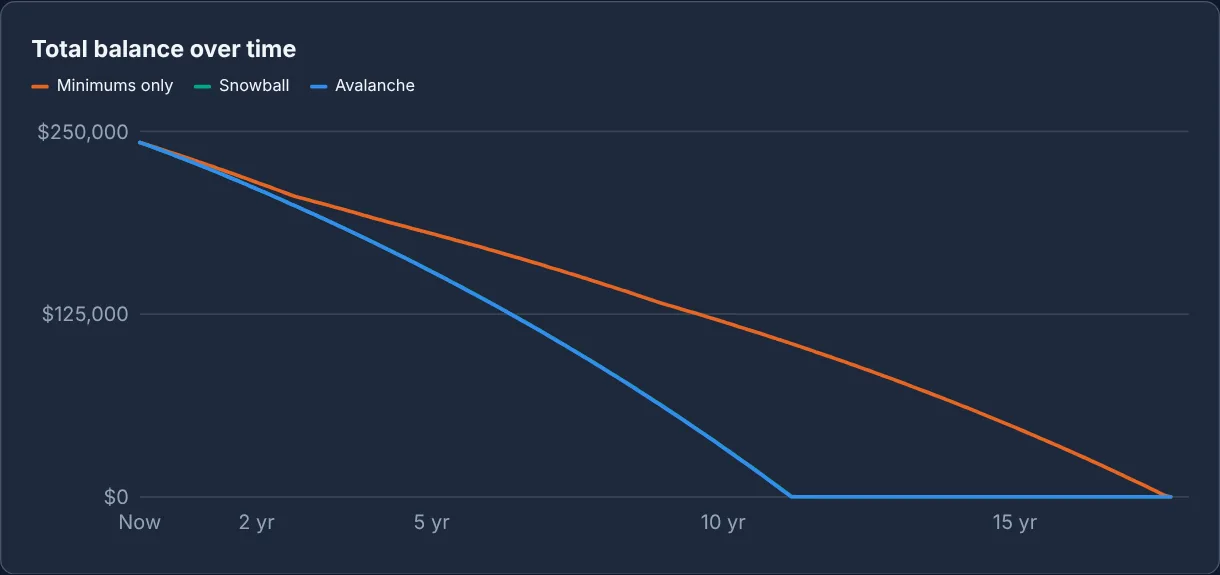
Also: monthly spending trends, an on-time payment record with late fees, a tax summary of possibly deductible bills, and totals by payment account. Every report exports to a spreadsheet or prints to PDF.
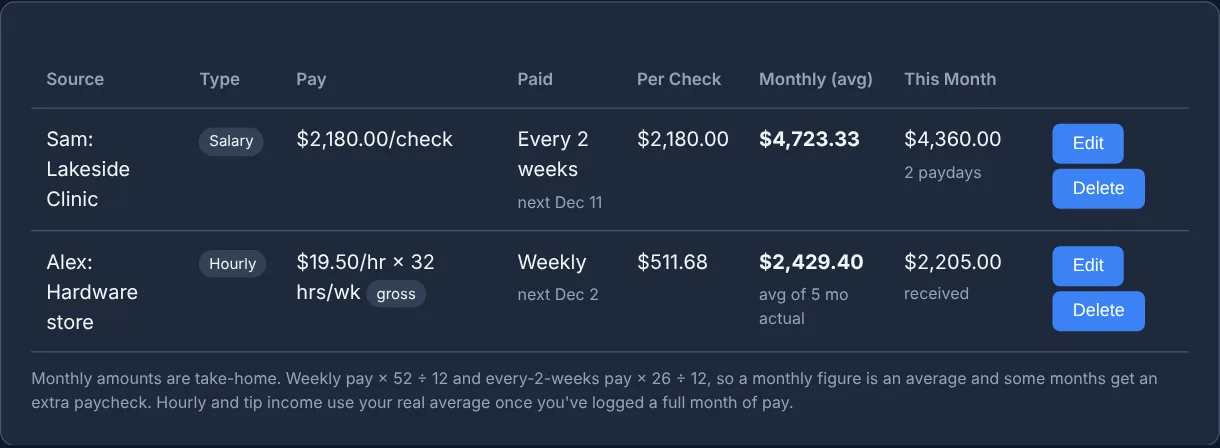
Paid every two weeks? That’s 26 paychecks a year, not 24, so BillNest knows which months bring a third check. Weekly, twice a month, salary or hourly: the monthly number comes out right.
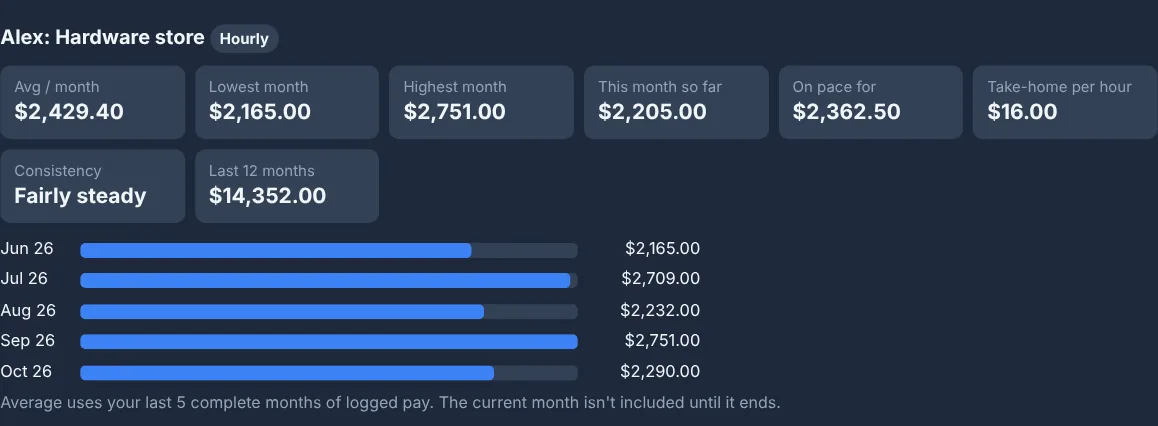
For hourly work and tips, log what you actually take home. Once a month is complete, BillNest switches to your real average monthly income, with your lowest and highest month, take-home per hour, and how steady your pay is.
Start a household and invite your partner or roommates with a link. Mark the bills you pay together as shared and everyone sees them, gets reminders for them, and can check them off. Your own bills, income and spending stay private, and saved logins are never shared.
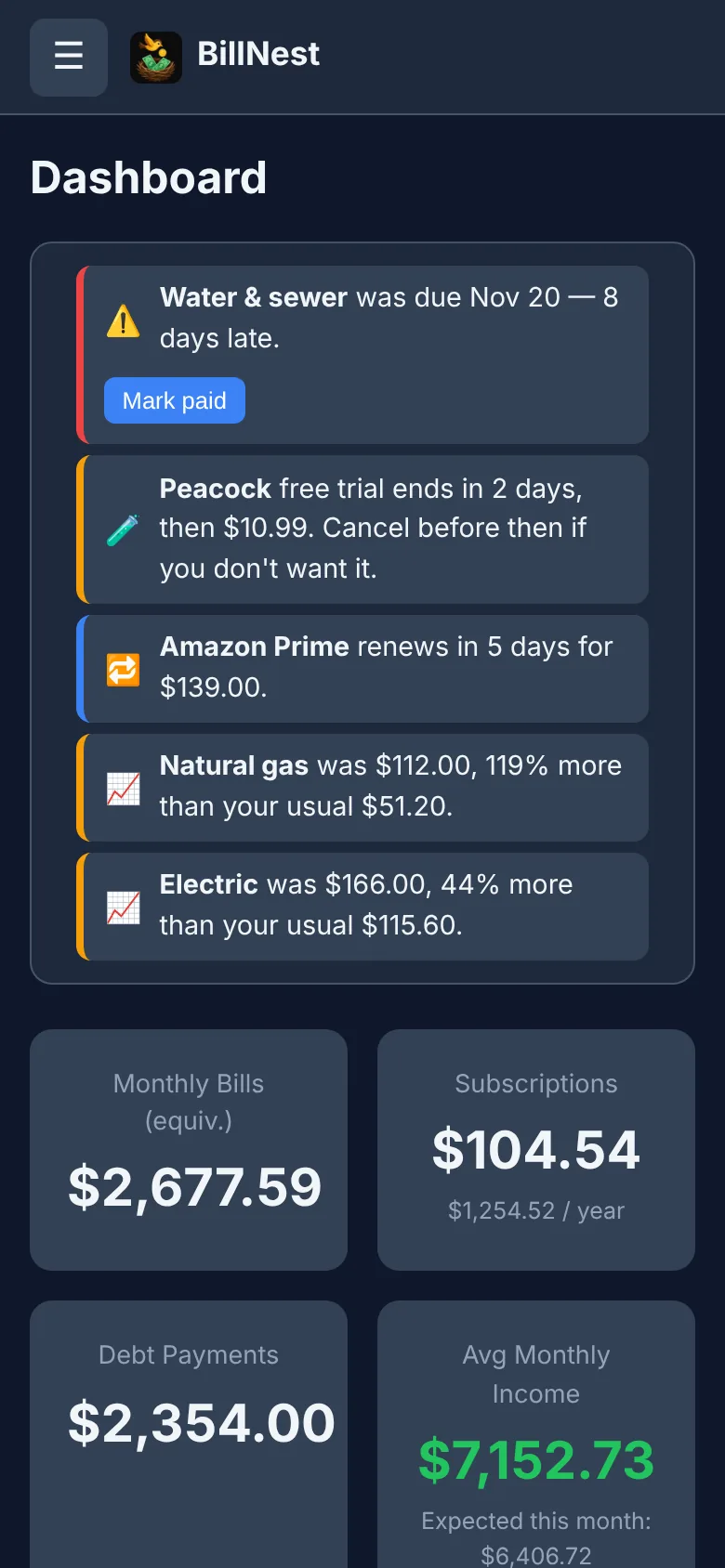
BillNest works in any browser. Sign in on your phone and check off a bill from the parking lot. Your computer and phone always show the same data.
Add it to your home screen and it opens like an app. Turn on notifications and reminders arrive right on your phone.
Yes. BillNest is free to use. Create an account with your email or Google and start adding bills.
No. BillNest never asks for bank logins and never moves money. You enter your bills and check them off when you pay them, which keeps you in control and keeps your bank details out of it.
Once a day, at the time you choose, BillNest sends one short email and, if you turn them on, a notification to your phone or computer. You only hear from it when something needs attention: a bill due soon, a bill past due, a free trial ending, a yearly renewal, or a bill that came in higher than usual. You can also add your due dates to Google, Apple or Outlook Calendar.
Yes. Each person has their own private account, and you can start a household to share the bills you pay together. Shared bills and their checkmarks show up for everyone in the household; everything else stays private.
Only you, when you’re signed in, plus anyone you invite to see the bills you choose to share. Your data is encrypted on our servers, saved website passwords are encrypted with a master password only you know, and you can turn on two-step verification. Read the Privacy Policy for details.
Use “Forgot password?” on the sign-in page and we’ll email you a link to choose a new one. Saved website passwords are different: they’re locked with your master password, which only you know and nobody can recover.
Any time. Every report exports to a spreadsheet (CSV) or prints to PDF, and Options → Data & backup downloads a complete copy of your account. You can also delete your account and all of its data whenever you like.